Case Study · Media & Entertainment
It Has to Work. It Can't Break IRL.
How we built a two-way OS for a London creative agency during Paris Fashion Week.
Written by Max
The problem
You can't run Fashion Week out of a group chat.
Ask anyone who's coordinated a live international event, and they'll tell you the same thing: the schedule doesn't stop moving. Talent needs to know where to be. Coordinators need to know who's where. Everything runs on visibility, and when visibility lives across a dozen messaging threads and a spreadsheet, things start to break.
That's the challenge JENDAYA, a London-based creative agency, brought to TechAviatorLabs ahead of Paris Fashion Week Menswear SS27. They needed one integrated system that talent could rely on to inform them of their schedule, and also one that provided the operational structure for their internal team to run events. They needed both, connected and operational, before Fashion Week started.
A good live event platform should meet talent where they are and give the team behind them a single view of what's actually happening. That's what we built.
What we built
Two connected experiences, one shared view.
We built the JENDAYA platform as two connected experiences, kept in sync in real time so any operational change on one side showed up instantly on the other.
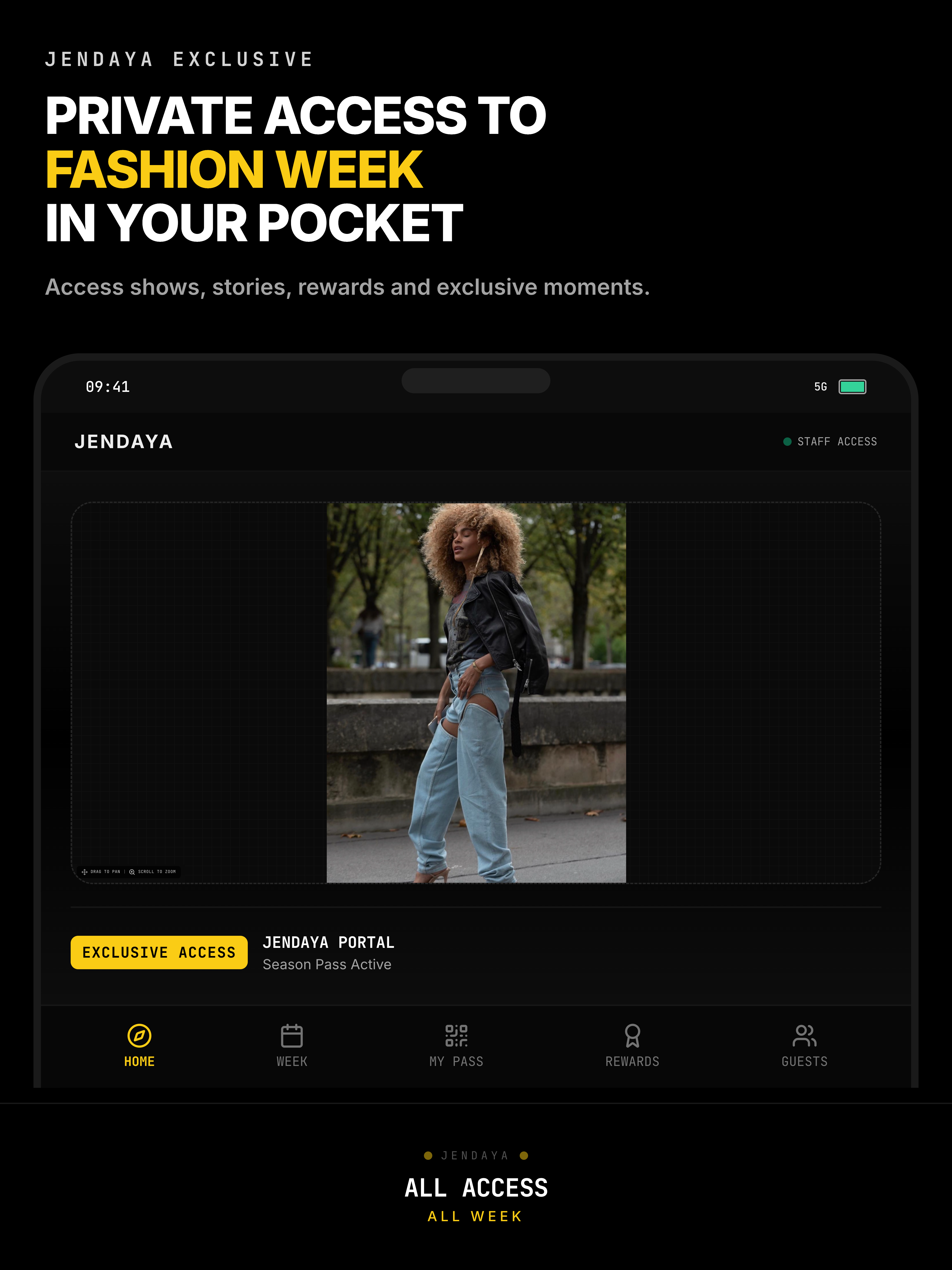
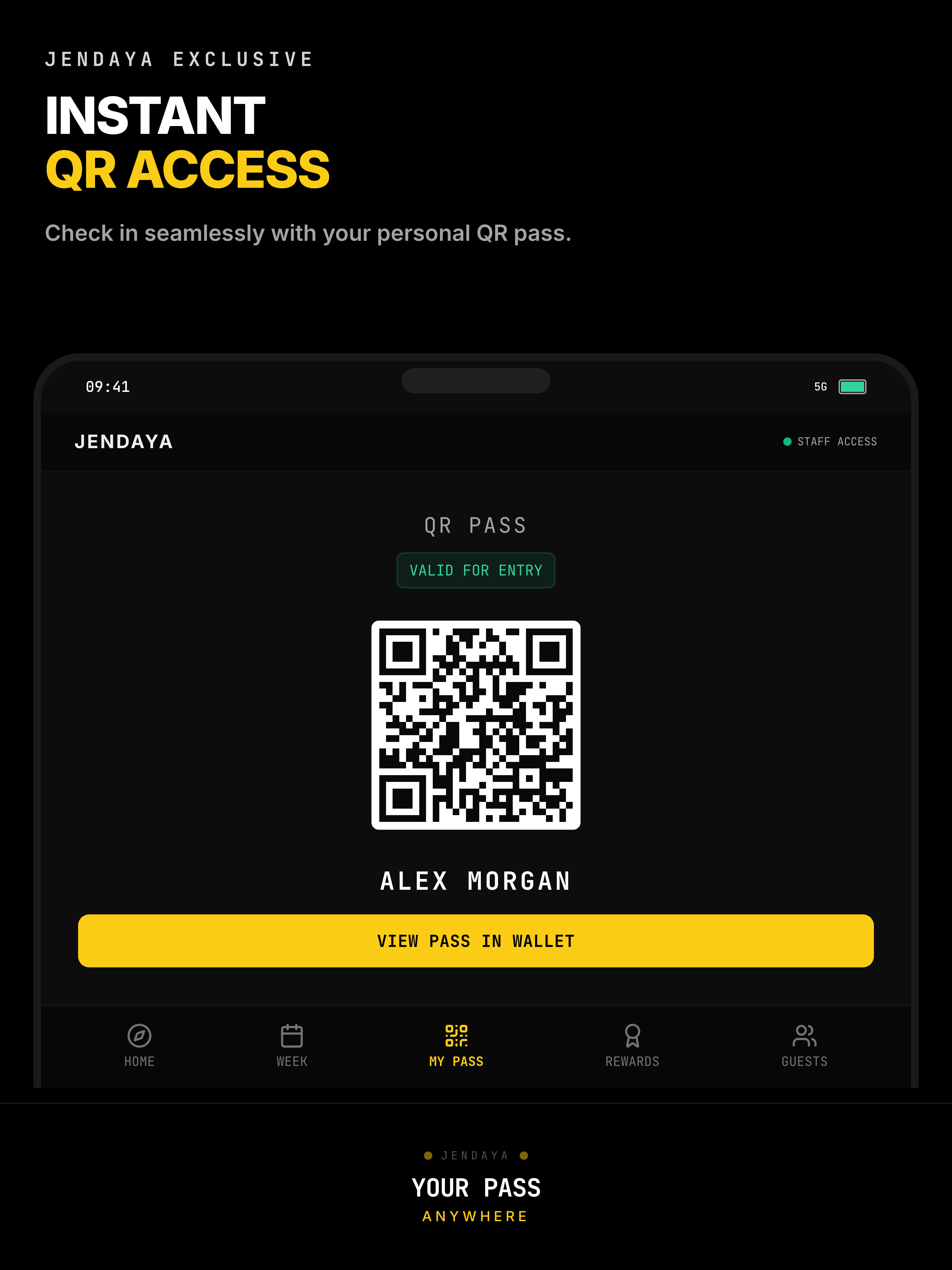
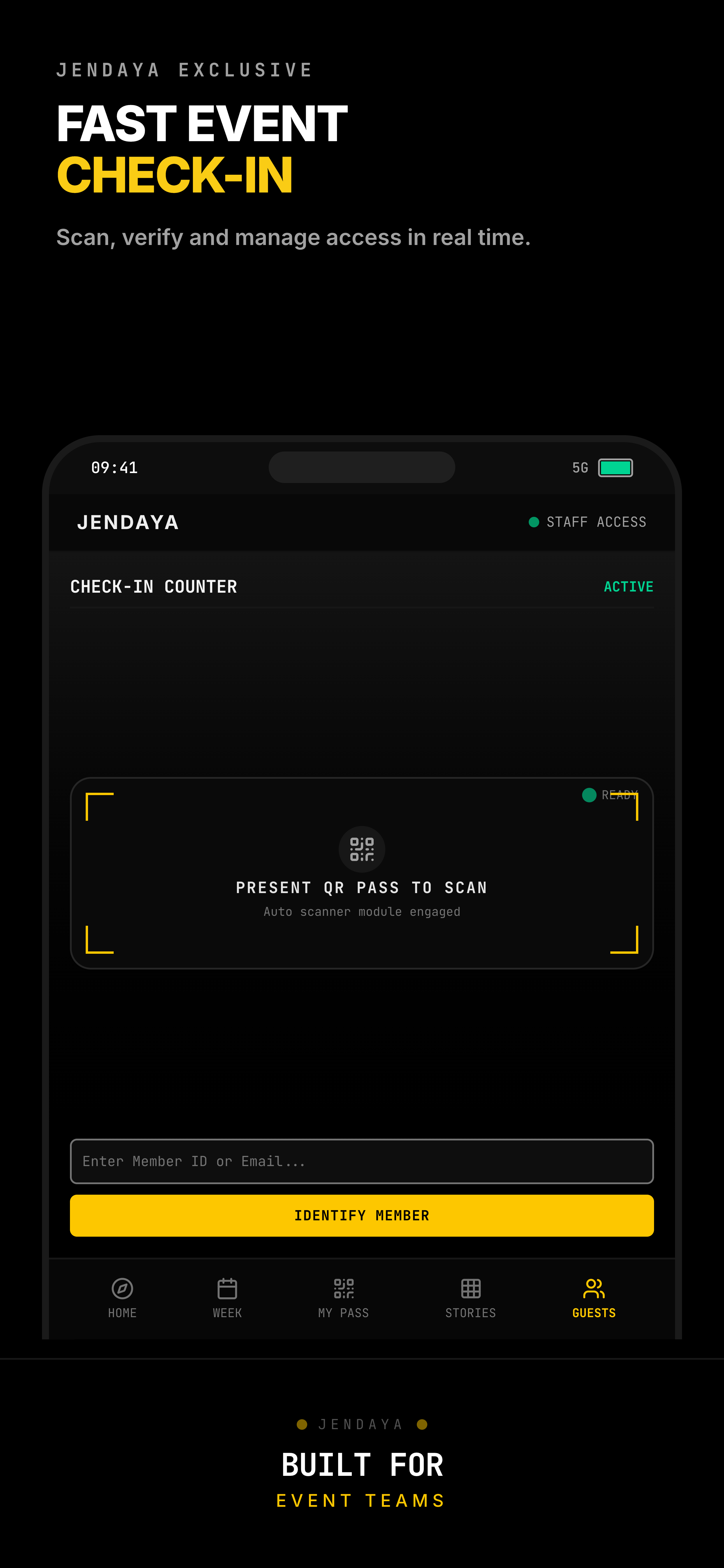
The Talent Experience is a native iOS app that gives talent their personalized schedule, event navigation, QR check-in, content upload, Plus One requests, and role-specific access. This experience provides each user everything they needed to navigate a week where schedules changed hourly and timing mattered.
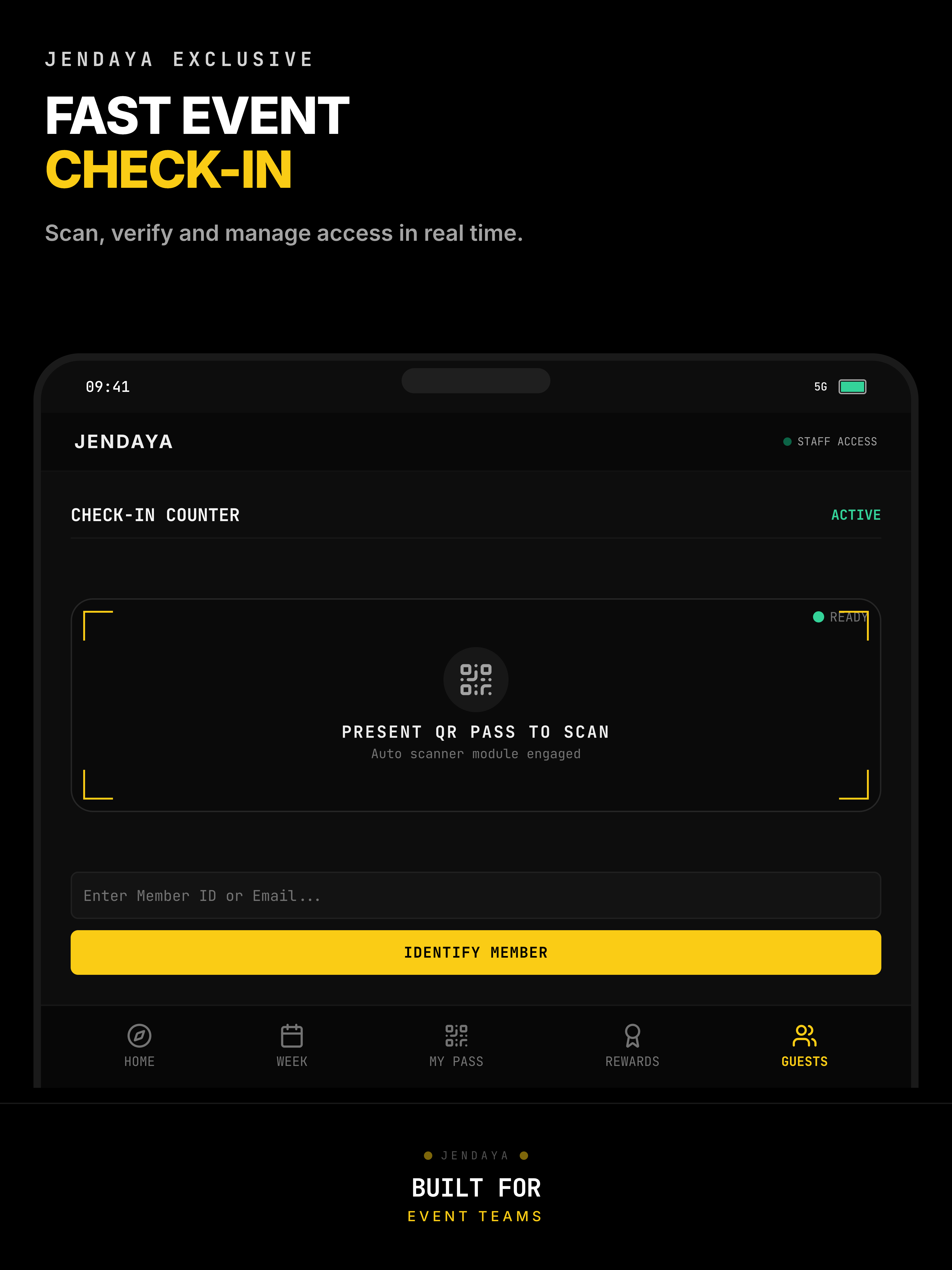
The Operations Console is the platform's “behind the scenes”, where coordinators assign talent to events, manage teams, approve requests, moderate content, and coordinate the logistics of a live international event in real time.
100+
Active users onboarded during Fashion Week
2-sided
Talent app and operations console, with live updates
Live
Deployed during Paris Fashion Week Menswear SS27
How we approached it
Fashion Week doesn't do “we'll fix it next sprint.”
In building the app, we understood that the launch date couldn't move, so every decision we made, such as what to build, key components of the app for the user experience, and how to manage user data, was considered so it didn't break IRL.
Here's how we thought about it.
Reliability beats feature count. The workflows that mattered most (schedules, check-ins, and assignments) needed to be rock-solid before anything else. Nice-to-have features waited. A good live event platform doesn't try to do everything on day one, it tries to do the critical few things flawlessly.
Designed for the moment, not the demo. People using the app during Fashion Week weren't sitting at a desk. They were between venues, in cars, in crowds, on shaky connections. Every screen had to answer the question they were already asking: where do I need to be next, what changed, who's meeting me there. A good live event app should get out of the way, then be exactly where you need it, when you need it.
Launch is the start of the job, not the end. From the moment the app went live, our team stayed on to support JENDAYA through Fashion Week itself. When something needed adjusting mid-event, we adjusted it. A good partner for a live deployment doesn't hand you the keys and walk away, they stay in the room.
The result
One time deployment with 100+ users
The JENDAYA platform launched successfully on the Apple App Store and served over 100 active users during Paris Fashion Week Menswear SS27. Coordinators gained a tech-backed operational view of their week, which was previously managed in spreadsheets and group chats. Talent had a reliable app in their pocket for a week that wouldn't sit still.
More importantly, the platform did exactly what it was built to do. It held up when real people depended on it, in a city they didn't live in, during one of the busiest weeks in fashion.
Check out the app for yourself.
Engineering Breakdown
Click for the technical decisions, tradeoffs, and production fixes behind the build.
Engineering Breakdown
Click for the technical decisions, tradeoffs, and production fixes behind the build.
What broke first
QR check-ins started resolving to the wrong event. There's no next sprint to fix it in.
Within days of launch, QR scanning began occasionally associating talent with the wrong event when two events fell on the same day. Here, it was someone standing outside a venue who couldn't get in.
The fix
There was no waiting for a future release cycle. The check-in logic was refined and shipped mid-week, live, while Fashion Week was running.
That single incident set the tone for the rest of the engagement: launch wasn't the finish line, it was the start of an ongoing production support job.
Key decision
Should access control be built in from day one, or layered in once core features shipped?
The trade-off
Should access control ship on day one, or come later?
Rejected
Ship features first, add permissions later
Faster to demo, faster to get in front of the client. But access control retrofitted after the fact tends to leave gaps exactly where the stakes are highest, and talent data and operational data were sitting on the same platform.
Chosen
Role-based permissions from day one
Operational users and talent had explicitly different access from the first build, not a later patch.
Why: Two very different audiences, talent and agency staff, were touching the same platform. Getting access control wrong here wasn't a UX bug. It was a real exposure risk on a live international event with the agency's own operations running through it.
Key decision
Should talent-facing social features ship with v1, or get cut for launch?
The trade-off
Should v1 include talent-facing social features?
Rejected
Ship a fuller v1
Include talent-facing social features alongside the core scheduling and check-in tools, for a more complete first release.
Chosen
Defer social features. Protect the operational core.
Engineering time stayed focused on the workflows carrying the most operational risk: schedules, check-ins, and assignments.
Why: A missed notification is an annoyance. A broken check-in strands someone outside a venue. Under a fixed, unmovable launch date, the operationally critical path mattered more than a richer feature set, so the richer feature set waited.
In production
What else broke, and how it got fixed
Coordinator Operations
Issue: Coordinators initially lacked clear visibility into their own assigned talent and responsibilities.
Fix: Operational visibility was refined so each coordinator's dashboard reflected their actual scope.
Result: A focused dashboard that matched what coordinators were actually responsible for.
French App Store Availability
Issue: Late in deployment, the app hit an App Store availability issue affecting France, days before a France-based launch.
Fix: App Store configuration, regional availability, and compliance settings were corrected before Fashion Week began.
Result: Available to French users before doors opened.
Retrospective
What we'd do differently
Plan for live production support from day one, not as a contingency.
This wasn't a normal post-launch bug cycle. Fashion Week started days after launch, which meant triage had to happen in real time, in production, with no buffer. We'd build that expectation, and the on-call capacity for it, into the plan from the start next time, instead of discovering it under pressure.
Treat access control as v1 scope, always.
This one held up. Building permissions in from day one instead of retrofitting them was the right call, and it's the one decision we wouldn't revisit even under more time pressure.
Respect the “boring” operational workflows. They're the real product.
The talent app is what people see and screenshot. The operations console is what actually determined whether the week ran smoothly. We'd protect coordinator tooling even more aggressively next time, since that's where a breakdown compounds fastest.
Tech stack
How it's built
- Frontend
- Next.js, React
- Native iOS
- Swift, Xcode, Capacitor (for shared web-based flows alongside native UI)
- Database
- Managed real-time database with a relational data model
- Access & Check-In
- Role-Based Access Control (RBAC), QR Code Infrastructure
- CI/CD & Distribution
- Continuous integration pipeline with automated App Store delivery